How it works
From a change at Companies House to a filing ready for Connect.
01
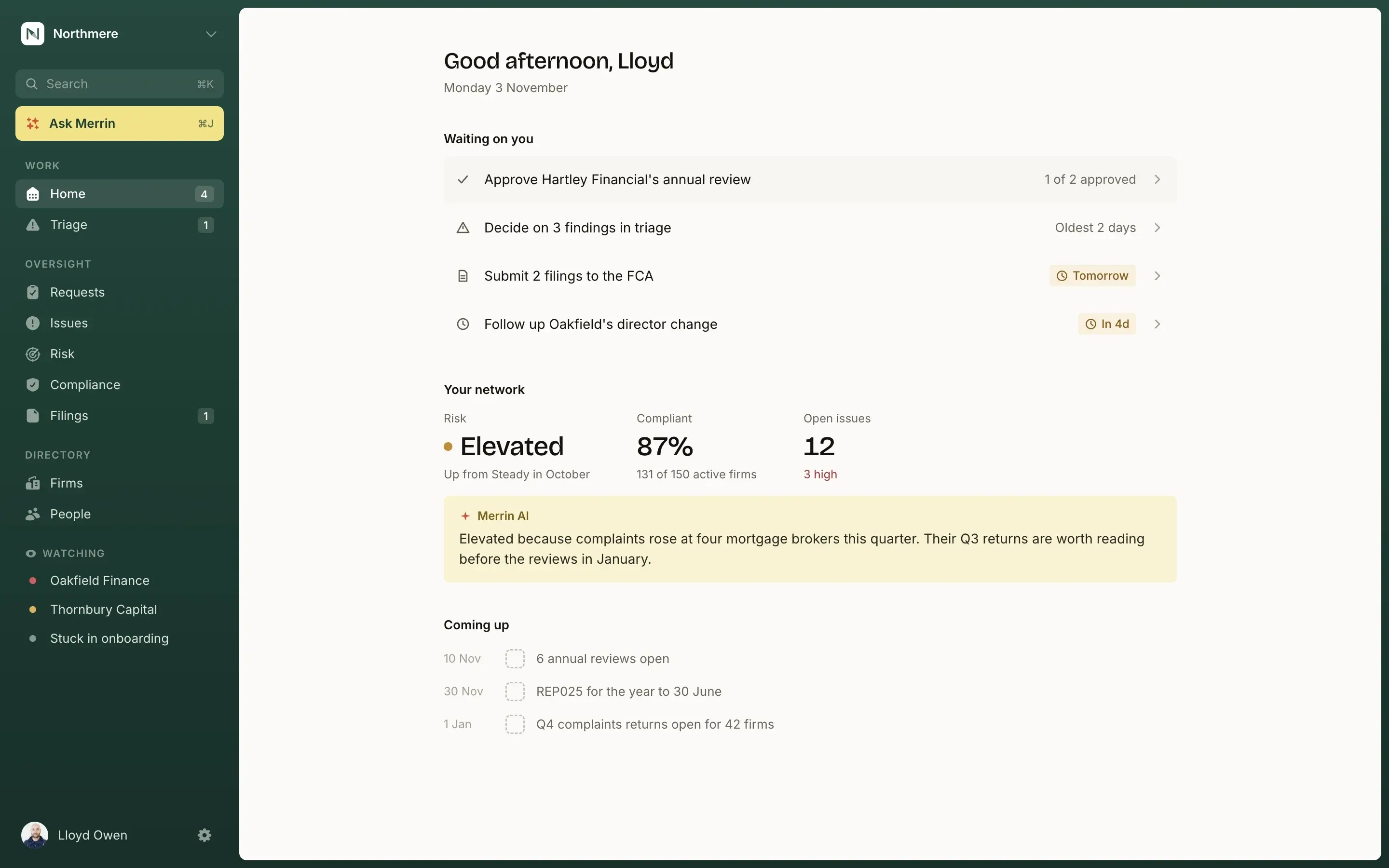
Your whole network, on one screen
Every AR, its risk and what is waiting on you, with the reasons behind each rating.
02
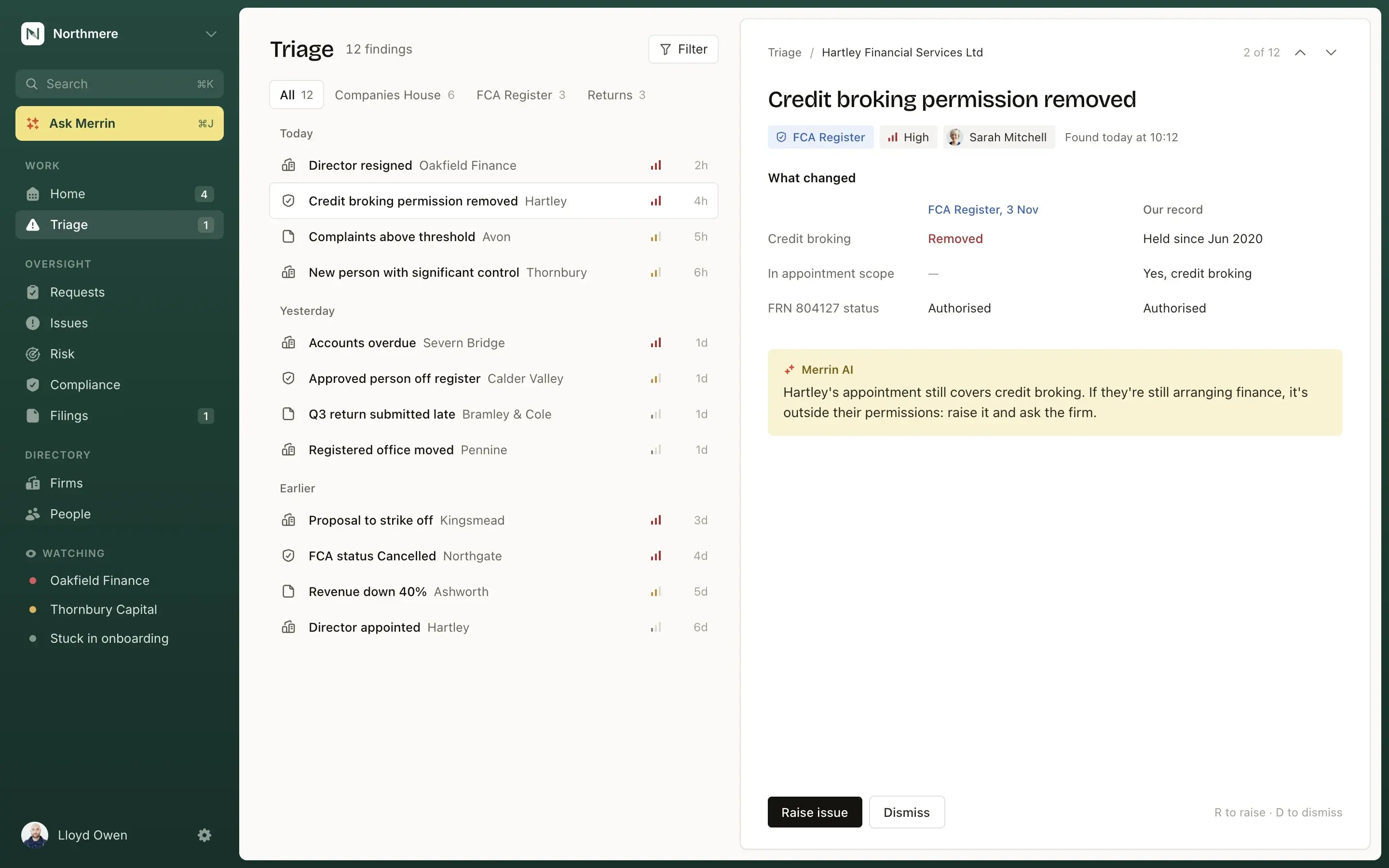
Found overnight, in Triage by morning
Merrin checks Companies House and the FCA Register for every firm each night. What changed is waiting in Triage before your team starts.
03
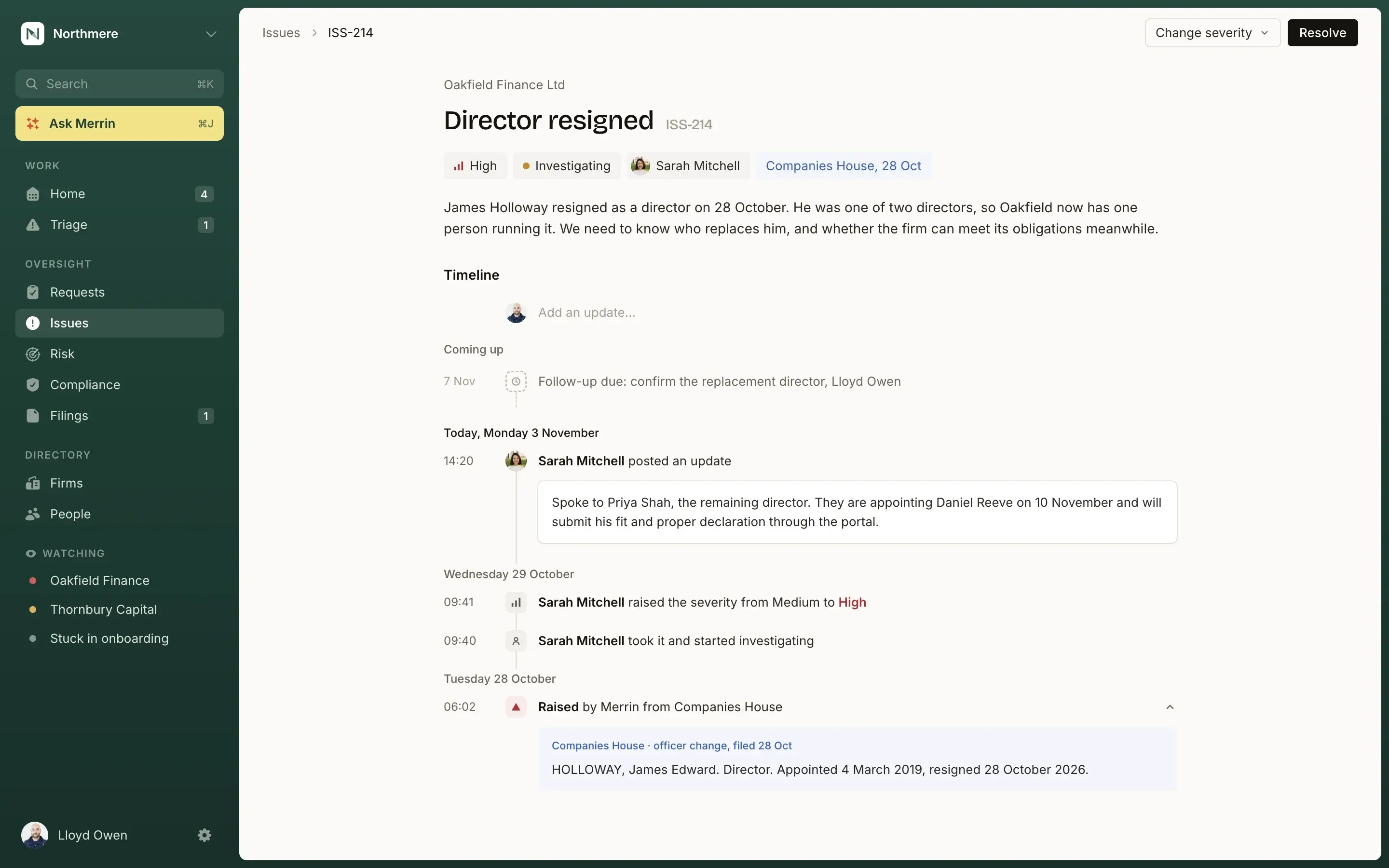
An issue, handled with evidence
Raise it, assign it, investigate it and close it with the proof attached. Every step is logged, and issues are never deleted.
04
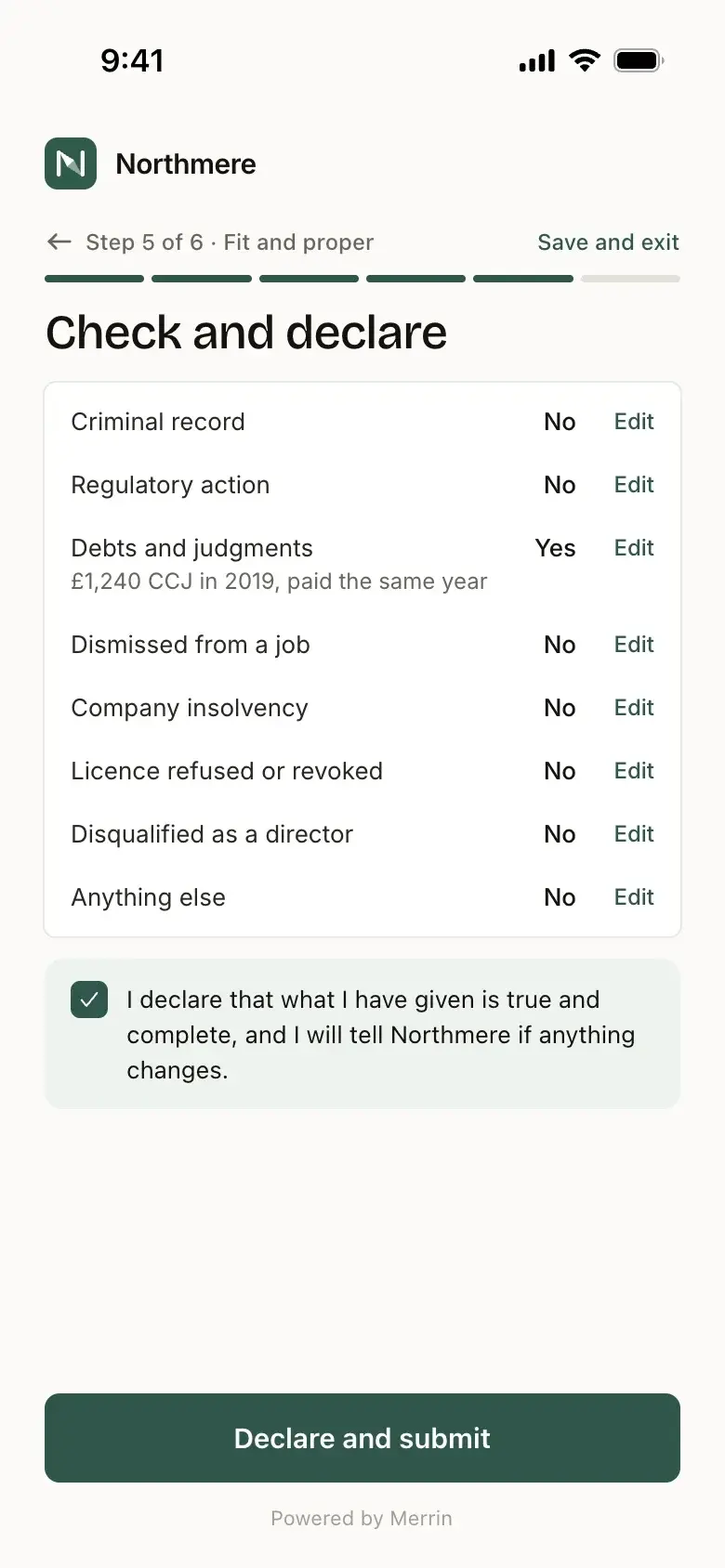
The AR does their part in the Portal
Each firm and person gets a task list. They sign in with a one-time code, answer, upload and sign, from any phone.
05
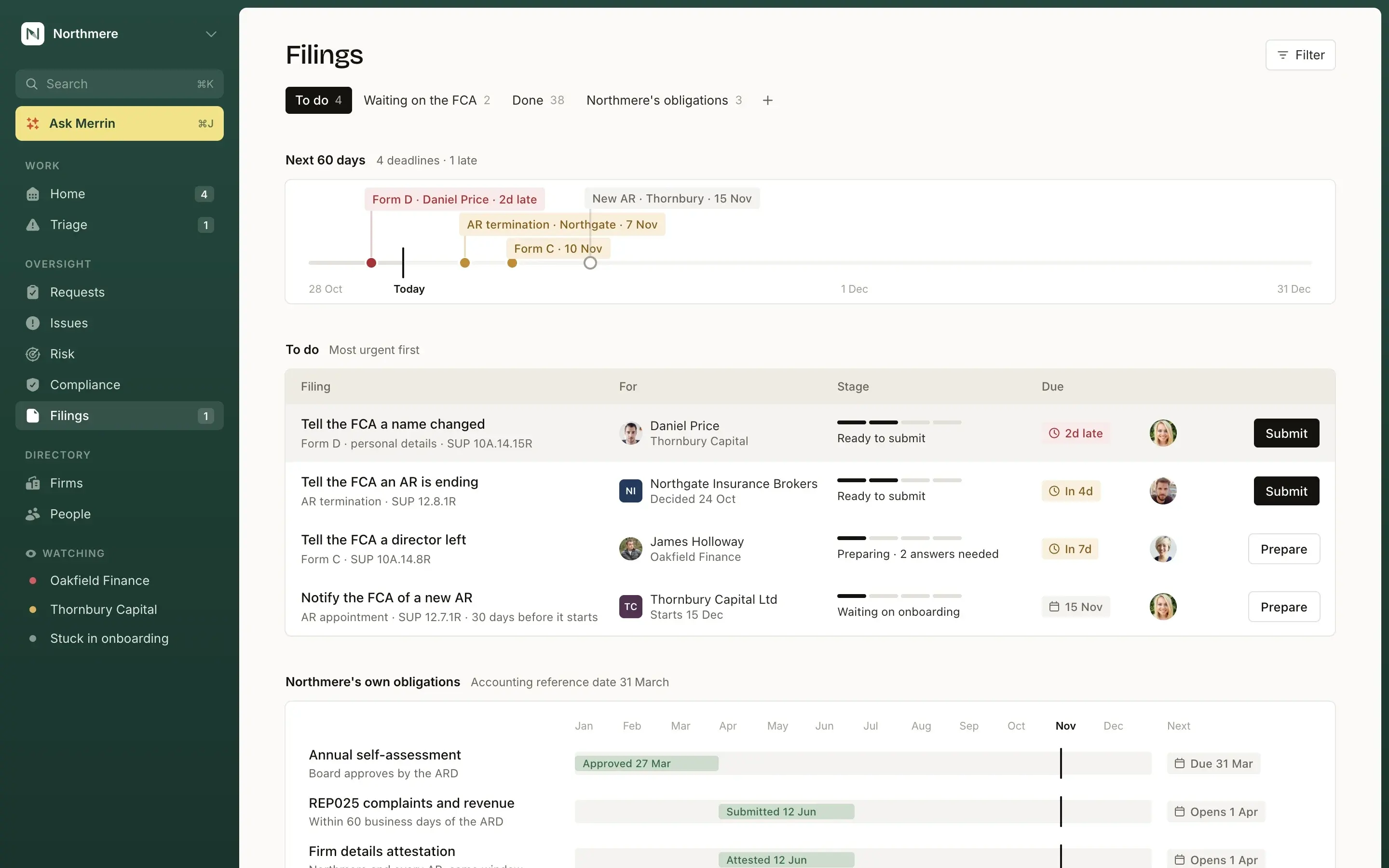
Reviews approved, filings prepared
The annual review is signed off over a frozen snapshot. Merrin prepares each FCA form field by field, and tracks it until it is approved.


See it on your own network.
Thirty minutes with the founder, on how your firm oversees its ARs today and what Merrin would change.
Book a demo